
After selecting an audio or video through Choose a file, choose the spoken language and Fast or High, then start transcription. Keep the app open while it works. Open Captions, review the words and adjust start and end times, then export SRT or WebVTT. Add that separate file to your original video in an editor or publishing tool; the app does not render a finished video.
How do I get captions from my video?
Start with the version of the video you plan to publish. Choose a file opens either Files or Photos and videos. The app uses the video’s audio to make the transcript.
- Import the video through Choose a file.
- After selecting an audio or video through Choose a file, choose the spoken language and Fast or High, then start transcription. Keep the app open while it works.
- Open Captions and read along with playback.
- Correct words and adjust start and end times where needed.
- Export SRT or WebVTT and add it alongside the original video in your editor.
What should I fix before exporting?
Listen while you read, especially for names, numbers and short words that change a sentence’s meaning. A caption can read smoothly and still say something different from the speaker.
Check when each caption appears and disappears. It should follow the speech and leave enough time to read. You can change the wording and timing, remove unwanted cues and review how long edits have been split. Check the beginning and ending, where a word is easily clipped.
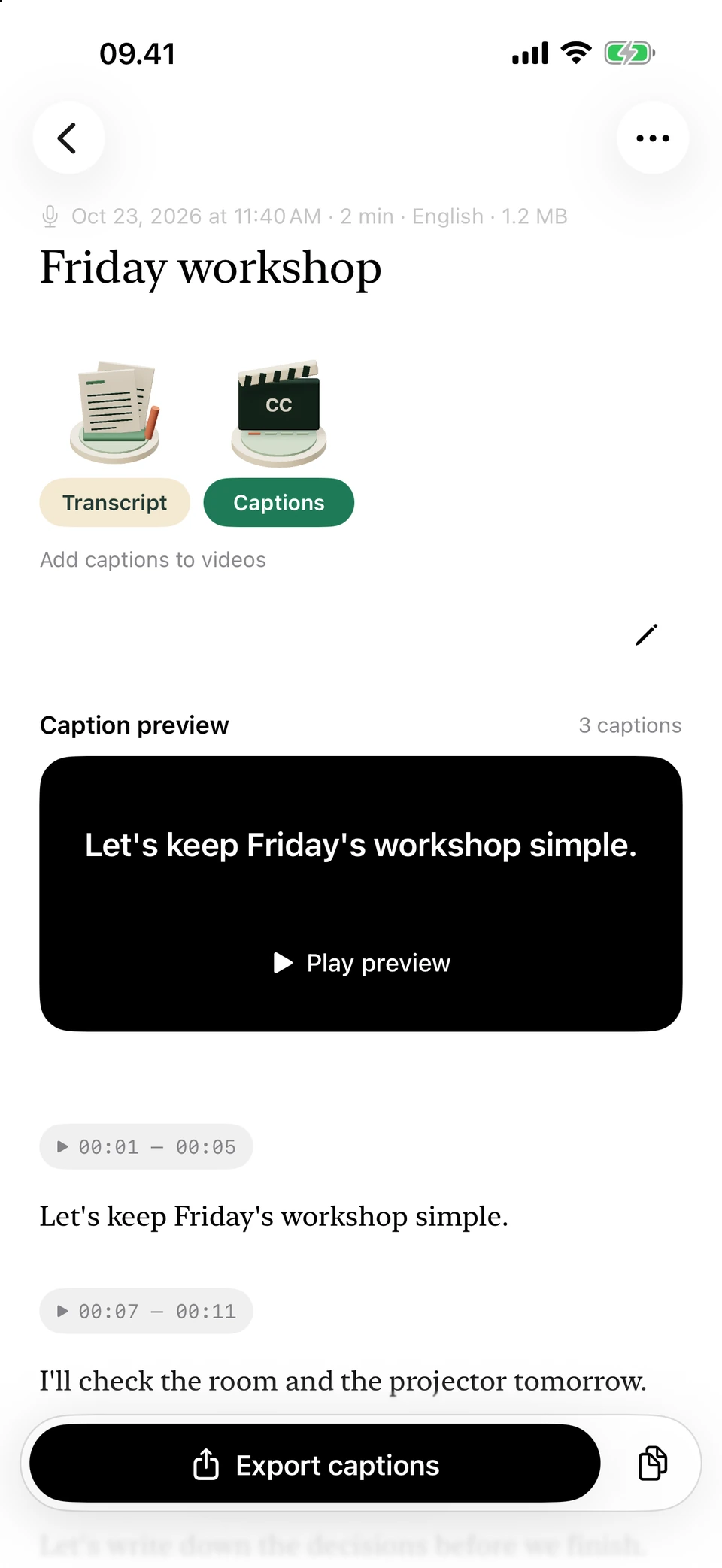
The same example as short subtitle cues with their timings. Screenshots from a development build, using illustrative sample text.
Should I use SRT or WebVTT?
Choose the format your editor or publishing tool accepts. Both carry text and timing. For YouTube, basic SRT is supported and must be UTF-8 text. Check the destination’s import instructions before exporting.
Keep a copy of the reviewed caption file before editing it in another tool. That gives you a version to return to if a later change shifts the timings or breaks the import.
Why do I need to keep the original video?
The app retains the imported video’s audio for transcription. It doesn’t export a finished video with subtitles burned into the picture. You need the original video to finish that job in your editor.
The caption timings belong to the video you transcribed. Cutting the opening, moving scenes or changing playback speed can put later captions out of step. Finish the main edit before making captions, or adjust their timings after changing the video.
Questions you may have
Does an SRT file contain my video?
No. It contains text and timings. Add it to the original video in an editor or upload it as a caption track where the platform supports that.
Can I change a caption that appears too early?
Yes. Edit its start and end times in Captions, then listen back to check it against the speech and neighbouring cues.
Do captions need Apple Intelligence?
No. Captions comes from the speech transcript. The Apple Intelligence writing tools are separate.
What if I correct the transcript afterwards?
Saved captions become outdated. Updating them regenerates the cues and replaces their manual edits. Save important caption work before changing the source; if it is already outdated, long-press a needed cue and use Copy text before updating.
What is the difference between SRT and VTT?
Both store timed captions. WebVTT is designed for web media tracks. Use the format your destination accepts and export it from Captions; changing the extension does not convert it.